
DigiD’ye başvur, ardından hesabını etkinleştir
Hollanda’da kayıtlı bir adresin varsa DigiD’ye ücretsiz başvurabilirsin (Harici site, yeni sekmede açılır). Başvuruda burgerservicenummer (BSN, vatandaş hizmet numarası), kayıtlı adresin ve telefonun gerekir. DigiD’yi Logius (Harici site, yeni sekmede açılır) (devletin dijital hizmetler kurumu) işletir. Etkinleştirme mektubunun gelmesi 5 iş gününe kadar sürebilir. Mektuptaki A kodunu (etkinleştirme kodu) 21 gün içinde gir. Ardından DigiD uygulamasını (Harici site, yeni sekmede açılır) veya SMS (kısa mesaj) doğrulamasını kullan.
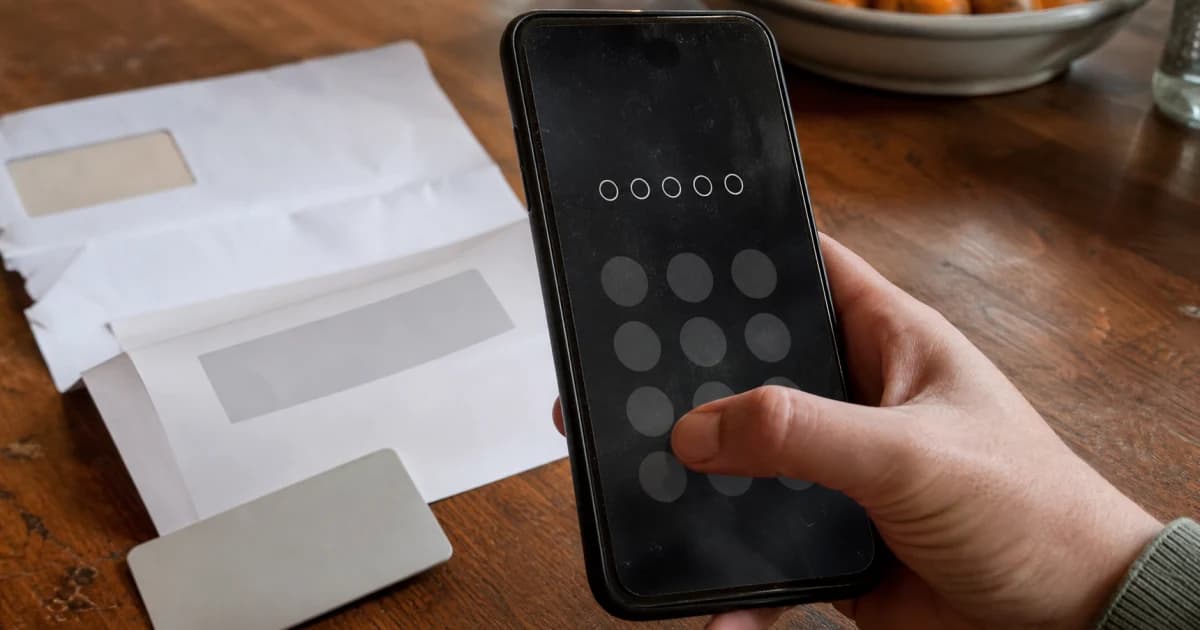
Bu rehber, DigiD almak veya mevcut hesabını yönetmek isteyen yeni gelenler içindir. Yurt dışında yaşıyorsan aşağıdaki ayrı başvuru yolunu kullan.
Kayıt durumuna göre başvuru yolunu seç
Başvuru yolu, nerede kayıtlı olduğuna bağlıdır. Hollanda’da yaşayanlar Basisregistratie Personen (BRP, nüfus kayıt sistemi) kaydını kullanır. Yurt dışında yaşayanlar için Registratie Niet-Ingezetenen (RNI, yerleşik olmayanlar kaydı) kullanılır.
Geniş tabloları yatay olarak kaydırabilirsin.
| Durum | Başvuru yolu | Koşullar |
|---|---|---|
| Hollanda’da bir gemeente’ye (belediye) kayıtlısın | Çevrim içi başvuru ve mektup | BSN, BRP’de kayıtlı ev adresi veya briefadres (yazışma adresi) ve telefon |
| Yurt dışında yaşıyorsun; standart formu kullanıyorsun | Yurt dışı başvurusu ve kodu teslim alma | BSN, geçerli pasaport veya kimlik kartı, e-posta ve Hollanda’dan SMS alabilen telefon |
| Yurt dışında yaşıyorsun; posta yoluyla başvuru koşullarını karşılıyorsun | SVB (Harici site, yeni sekmede açılır) (Sociale Verzekeringsbank, sosyal sigorta kurumu) üzerinden başvur; etkinleştirme mektubunu DigiD gönderir | BSN, cep telefonu ve e-posta gerekir. Yaşadığın ülkede posta teslim ediliyor olmalı. AOW (Hollanda devlet emekliliği) alıyorsun veya SVB’den ilk ödemeni doğrulayan bir mektubun var. |
| DigiD hesabın var ve yurt dışına taşınıyorsun | Hesabını kullanmaya devam et | Etkin DigiD hesabı taşındıktan sonra da çalışır |
| Her yaştan çocuk | Çocuğun kendi DigiD hesabı için başvur | 14 yaşından küçük çocuklara ebeveyn veya vasi yardım edebilir. 14 yaşından itibaren çocuklar kendileri başvurmalı ve DigiD’yi kendileri kullanmalı. |
DigiD’ye başvur ve hesabını etkinleştir
Hollanda adresiyle başvuruyorsan adımları sırayla uygula. BRP kaydında hata varsa başvurmadan önce gemeente’den bu hatayı düzeltmesini iste.
- Kayıtlı adını ve adresini kontrol et. Mektup BRP adresine gider. Posta kutusu adresi veya boş bir adres kabul edilmez.
- Resmî başvuru sayfasını tarayıcıda aç.
- Kullanıcı adını ve parolanı seçerek başvuruyu tamamla.
- Kullanıcı adını ve parolanı güvenli bir yerde sakla. DigiD’yi etkinleştirmek için ikisi de gerekir.
- Etkinleştirme mektubunu bekle. Gelmesi 5 iş gününe kadar sürebilir; kodu A ile başlar.
- A kodunu 21 gün içinde DigiD sitesinde veya uygulamasında gir. Uygulamadan etkinleştirme hem hesabını hem uygulamayı etkinleştirir.
- DigiD sitesinden (Harici site, yeni sekmede açılır) açılan Mijn DigiD’ye (DigiD hesap ayarları) e-posta adresini ve telefon numaranı ekle.
- Acil bir işlem için giriş yapman gerekmeden uygulamayı veya SMS doğrulamasını etkinleştir.
Örneğin yeni evine taşındıktan sonra başvurdun, ancak BRP kaydında hâlâ eski adresin var. Mektup eski adrese gider. Yeni mektup istemeden önce gemeente’den adresini düzeltmesini iste.
Hangi hesap veya uygulama ne işe yarar?
DigiD, bir kuruluşun hizmetine giriş yaparken kimliğini doğrular. MijnOverheid (Harici site, yeni sekmede açılır) (kişisel devlet hizmetleri hesabı) ve içindeki Berichtenbox (Harici site, yeni sekmede açılır) (devletin dijital posta kutusu) ayrı hizmetlerdir. Aşağıdaki tabloda her aracın işlevini bulabilirsin.
Kamu hizmetlerini tek bir siteden kullanmaya alışkınsan, Hollanda’da işlem yapmak istediğin kuruluşun sitesini açıp DigiD ile giriş yap. DigiD kimliğini doğrular; MijnOverheid ve Berichtenbox ayrı hizmetlerdir.
Geniş tabloları yatay olarak kaydırabilirsin.
| Ad | İşlevi | Sınırı |
|---|---|---|
| DigiD | DigiD ile giriş sunan kuruluşlar için kimliğini doğrular | İşlemin çevrim içi yapılıp yapılamayacağını kuruluşa sor |
| Mijn DigiD | İletişim bilgilerini, giriş yöntemlerini, cihazları ve kullanım geçmişini yönetirsin | DigiD sitesinden açılır |
| DigiD uygulaması | PIN (kişisel giriş kodu) veya isteğe bağlı parmak izi ya da yüz tanımayla giriş yaparsın | ID-check (kimlik belgesi kontrolü) ayrı bir adımdır |
| MijnOverheid | Devletin kayıtlarındaki bazı bilgilerini gösterir ve Berichtenbox’ı içerir | 14 yaşından itibaren kullanılabilir; ilk kullanımda ayrıca etkinleştirilmelidir |
| Berichtenbox | Katılan kuruluşlardan dijital mektuplar alırsın | Yanıt gönderemezsin; bazı mektuplar kâğıt olarak gelmeye devam eder |
MijnOverheid’i etkinleştirmek için şu adımları uygula:
- DigiD uygulaması, SMS doğrulaması veya kabul edilen bir Avrupa giriş yöntemiyle giriş yap.
- E-posta adresini ekle.
- Hangi kuruluşların sana dijital posta gönderebileceğini seç.
E-posta bildirimleri yeni posta geldiğini haber verir. Mektubun kendisini Berichtenbox’ta oku. Kâğıt postanı da kontrol etmeye devam et.
Giriş yöntemini seç
Hangi giriş yöntemlerinin kabul edileceğine hizmeti veren kuruluş karar verir. Aşağıdaki yöntemlerden birini seçmeden önce kuruluşun giriş ekranını kontrol et.
Geniş tabloları yatay olarak kaydırabilirsin.
| Yöntem | Nasıl çalışır? | Sınırı |
|---|---|---|
| Kullanıcı adı ve parola | Başvuruda seçtiğin bilgileri girersin | Yalnızca kuruluş bu yöntemi kabul ediyorsa kullanılır |
| SMS doğrulaması | Kullanıcı adı, parola ve yazılı veya sesli altı haneli kod kullanırsın | Cep telefonu, yabancı numara ve sabit hat kullanılabilir. Sabit hat için sesli kodları etkinleştir. |
| DigiD uygulaması | PIN veya isteğe bağlı parmak izi ya da yüz tanımayla giriş yaparsın | En fazla 5 etkin cihaz olabilir; bilgisayarda PIN kullanılır |
| ID-check eklenmiş uygulama | Kabul edilen Hollanda kimlik belgesini NFC (temassız çip okuma teknolojisi) ile okur | Bazı kuruluşlar hassas verilere erişmek için bu kontrolü ister |
Başka bir etkinleştirme yöntemi sunuluyorsa uygulamayı ID-check yapmadan etkinleştirebilirsin. ID-check için Hollanda pasaportu, kimlik kartı veya ehliyeti kabul edilir. Pasaport veya kimlik kartında BSN’in bulunması gerekir. Yabancı kimlik belgeleri ve Hollanda oturum belgeleri kabul edilmez.
Telefonunda NFC yoksa başka biri Check-ID (Harici site, yeni sekmede açılır) (kimlik kontrolü uygulaması) ile yardımcı olabilir. Yine de kabul edilen bir Hollanda belgen olmalı. Bazı kuruluşlar hassas veriler için her yıl yeniden ID-check ister. Bu kontrolü ekleyemiyorsan ilgili kuruluştan hizmetini kullanmanın başka bir yolunu iste.
DigiD uygulaması, desteklenen bilgisayarlarda ve dizüstü bilgisayarlarda da çalışır. ID-check’i yalnızca telefon veya tabletteki uygulamadan ekleyebilirsin.
DigiD ile giriş yap
İşlem yapmak istediğin kuruluşun sitesinden başla. Aşağıdaki adımlar için etkinleştirilmiş bir DigiD uygulaması veya SMS doğrulaması gerekir.
- Kuruluşun sitesini tarayıcıda aç.
- “Log in with DigiD” (DigiD ile giriş yap) seçeneğine bas.
- Uygulamayı veya kullanıcı adı, parola ve SMS doğrulamasıyla giriş yöntemini seç.
- Seçtiğin yöntem için ekrandaki adımları izle.
Siteyi açtığın cihazda DigiD uygulaması yüklüyse şu adımlarla devam et:
- Sorulursa “On this device” (Bu cihazda) seçeneğine bas.
- Uygulama açılınca PIN’ini gir veya etkinleştirdiğin parmak izi ya da yüz tanımayı kullan.
- Ekrandaki diğer adımları izle.
Uygulama açılmıyorsa kuruluşun sitesini başka bir tarayıcıda açmayı dene.
Site, DigiD uygulamasının yüklü olduğu cihazdan farklı bir cihazda açıksa şu adımlarla devam et:
- Telefonunda DigiD uygulamasını aç.
- PIN’ini gir veya etkinleştirdiğin parmak izi ya da yüz tanımayı kullan.
- Uygulamada doğrulama kodu iste.
- Kodu kuruluşun sitesine gir.
- Sitede “Next” (İleri) seçeneğine bas.
- Gösteriliyorsa QR kodunu (kamerayla taranan kare kod) tara.
- Ekrandaki diğer adımları izle.
SMS doğrulamasını seçtiysen şu adımlarla devam et. Sesli kodları etkinleştirdiysen DigiD seni arar ve kodu okur.
- Kullanıcı adını ve parolanı gir.
- “Log in” (Giriş yap) seçeneğine bas.
- Telefonuna gelen altı haneli kodu gir.
- “Next” (İleri) seçeneğine bas.
Telefon değiştirirken hesabına erişimi koru
Telefonunu veya iletişim bilgilerini değiştirirken çalışan giriş yöntemlerini kullanmaya devam et. Eski cihazını kaldırmadan önce aşağıdaki tabloda durumuna uyan satırı oku.
Geniş tabloları yatay olarak kaydırabilirsin.
| Durum | Önce ne yapmalısın? | İşe yaramazsa |
|---|---|---|
| Yeni telefon aldın; eski uygulama çalışıyor | Etkin uygulamayla yeni telefondaki uygulamayı etkinleştir | Uygulama SMS, ID-check veya mektup seçeneği sunabilir. Yurt dışındayken SMS veya ID-check kullan. |
| Telefonun kayboldu veya çalındı | Mijn DigiD’de o telefonun uygulamasını devre dışı bırak; yeni telefonuna uygulamayı kur | Giriş yapamıyorsan DigiD yardım masasıyla görüş |
| Uygulamanın PIN’ini unuttun | Uygulamayı yeniden etkinleştir ve yeni PIN seç | Sunuluyorsa başka bir etkin giriş yöntemini kullan |
| Telefon numaran değişti | Eski numaran veya etkin uygulamayla numaranı değiştir | Uygulamayı ID-check ile etkinleştirmeyi dene. Yurt dışındayken numarayı değiştiremiyorsan yeniden başvur. |
| Zaten 5 etkin cihazın var | Mijn DigiD’de eski bir cihazı devre dışı bırak | Ardından yeni cihazı etkinleştir |
| İletişim bilgilerin değişti | Mijn DigiD’de e-posta adresini ve telefon numaranı güncelle | Parolanı kurtarabilmek için ikisini de güncel tut |
Etkinleştirmeden sonra parolanı üç yolla kurtarabilirsin: etkin uygulama, kayıtlı e-posta adresin ve SMS ya da kurtarma mektubu. E-posta ve SMS yönteminde hem kayıtlı e-posta adresine hem telefon numarana erişmen gerekir. Yurt dışında yaşıyorsan NederlandWereldwijd (Harici site, yeni sekmede açılır) (yurt dışında yaşayanlar için Hollanda devletinin bilgi sitesi) uygulama veya e-posta ve SMS ile kurtarma adımlarını açıklar. Bu yöntem çalışmıyorsa ve giriş yapabildiğin etkin bir uygulaman da yoksa yeniden başvur. Henüz etkinleştirmeden parolanı unuttuysan yine yeniden başvurmalısın.
Etkin uygulamayla Mijn DigiD’ye girip kullanıcı adını görebilirsin. Uygulamayı kullanamıyorsan BSN’in ve parolanla kullanıcı adını iste. Bunun için e-posta adresin ve telefon numaran kayıtlı olmalı; ikisinden de kod alabilmelisin. Kullanıcı adını ve parolanı birlikte kaybettiysen giriş yapabildiğin etkin bir uygulama gerekir. Etkin uygulamayı kullanamıyorsan yeniden başvur. Kullanıcı adını değiştirmek için de yeni bir DigiD başvurusu yapman gerekir.
Yurt dışından BSN’inle başvur
Yurt dışı başvuru yolu Bonaire, Sint Eustatius ve Saba için de geçerlidir. Standart başvuru formunu kullanmak için RNI kaydı, BSN, geçerli pasaport veya kimlik kartı, e-posta adresi ve Hollanda’dan SMS alabilen bir telefon gerekir. Bu başvuruda ehliyet kabul edilmez.
Standart başvuru formu için aşağıdaki adımları izle. Önce uygun randevu tarihlerini kontrol et. Bazı gişelerde bekleme süresi, teslim kodunun 30 günlük geçerlilik süresinden uzun olabilir.
- Görüntülü görüşme için veya gerekiyorsa gişe ziyareti için randevu al.
- DigiD yurt dışı başvurusunu (Harici site, yeni sekmede açılır) tamamla.
- SMS ve e-posta ile gelen dokuz karakterli B kodunu (teslim kodu) sakla. Kod 30 gün geçerlidir.
- Randevuda etkinleştirme kodunu al. Görüntülü görüşme sırasında Hollanda’nın Avrupa’daki bölümü dışında bulunman gerekir. Gişe ziyareti ise yurt dışında veya Hollanda’da yapılabilir.
- Aldığın A koduyla DigiD’ni 21 gün içinde etkinleştir.
Randevu almadan önce NederlandWereldwijd sitesindeki kod teslim seçeneklerini (Harici site, yeni sekmede açılır) kontrol et. Çoğu gişe randevu ister. Pasaportunun veya kimlik kartının aslını, BSN’ini, B kodunu ve başvuruda kullandığın telefonu yanında bulundur. Görüntülü görüşmede kullanıcı adın ve parolan da hazır olmalı. Görüşme sırasında dokuz karakterli A kodu SMS ile gelir.
SVB başvurusu için BSN’in, cep telefonun ve e-posta adresin gerekir. Yaşadığın ülkede posta teslim ediliyorsa şu iki durumdan birinde SVB üzerinden başvurabilirsin: AOW alıyorsun veya SVB’den ilk ödemeni doğrulayan bir mektubun var. DigiD, etkinleştirme mektubunu yurt dışındaki ev adresine gönderir. Kod 45 gün geçerlidir. Gişeye gitmen veya görüntülü görüşme yapman gerekmez. Yaşadığın ülkede posta teslim edilmiyorsa yukarıdaki standart DigiD yurt dışı başvurusunu kullan.
DigiD başvurusu ücretsizdir. Bazı büyükelçilikler pasaport kontrolü için ücret alabilir. Randevu almadan önce seçtiğin gişenin açıklamalarını kontrol et.
Kullanıcı adını, parolanı, uygulama PIN’ini ve SMS kodunu kimseyle paylaşma. DigiD Machtigen (Harici site, yeni sekmede açılır) (DigiD ile yetkilendirme) üzerinden bir kişiye veya şirkete belirli bir işlem için belirli süreyle yetki verebilirsin. Verdiğin yetkiyi görebilir veya iptal edebilirsin.
Yurt dışındayken DigiD veya kabul edilen bir Avrupa giriş yöntemiyle çevrim içi yetki isteyebilir ya da onaylayabilirsin. Yetkilendirme kodunu çevrim içi isteyip BSN’inle birlikte sana yardımcı olacak kişiye verebilirsin. Yetkilendirme mektupları yurt dışına veya Karayip Hollandası’na gönderilemez.
Telefon kaybında veya sahte mesajda ne yapmalısın?
Birinin giriş bilgilerini ele geçirmiş olabileceğini düşünüyorsan veya DigiD uygulaması yüklü telefonun çalındıysa hemen harekete geç.
Oltalama, bilgilerini çalmayı amaçlayan sahte mesajlarla yapılır. Böyle bir mesaj DigiD’den gelmiş gibi görünebilir. DigiD’nin sahte mesajlarla ilgili açıklamasına (Harici site, yeni sekmede açılır) göre DigiD’nin e-posta, SMS ve mektuplarında hiçbir zaman bağlantı veya QR kodu bulunmaz. Tanımadığın bir mesaj veya giriş görürsen aşağıdaki kontrolleri yap.
Geniş tabloları yatay olarak kaydırabilirsin.
| İşaret | Anlamı | Yapman gereken |
|---|---|---|
| DigiD’den geldiğini söyleyen mesajda bağlantı veya QR kodu var | Sahte DigiD mesajıdır | Bağlantıyı açma. Mesajı veya görselini valse-email@digid.nl adresine ilet, ardından sil. |
| Biri giriş bilgilerini veya uygulama PIN’ini istiyor | DigiD çalışanları bunları hiçbir zaman istemez | İletişimi kes ve DigiD sitesini kendin aç |
| Tanımadığın bir giriş veya hesap değişikliği var | Başka biri hesabına erişmiş olabilir | Parolanı değiştir ve Mijn DigiD’de kullanım geçmişini kontrol et |
| Etkin uygulamanın olduğu telefon kayboldu veya çalındı | Uygulama hâlâ etkindir | Mijn DigiD’de devre dışı bırak. Giriş yapamıyorsan yardım masasıyla görüş. |
Sahte sayfaya bilgi girdiysen erişimini koru
DigiD bilgilerini sahte bir sayfaya girdiysen şu adımları uygula:
- DigiD parolanı hemen değiştir. Giriş yapamıyorsan DigiD yardım masasıyla görüş.
- Mijn DigiD’de kullanım geçmişini kontrol et.
- Yardım masasıyla ve tanımadığın girişin yapıldığı kuruluşla görüş.
- Fraudehelpdesk (Harici site, yeni sekmede açılır) (dolandırıcılık yardım masası) ile iletişime geç.
Banka bilgilerini de girdiysen bankanla görüş. Gerçekleşen dolandırıcılığı polise bildir. Kimlik dolandırıcılığını ayrıca Centraal Meldpunt Identiteitsfraude (Harici site, yeni sekmede açılır) (CMI, merkezi kimlik dolandırıcılığı bildirim noktası) üzerinden bildir.
Sık karşılaşılan DigiD sorunlarını çöz
Etkinleştirme mektubun gelmediyse veya kodun süresi dolduysa ya da kod kabul edilmediyse bu tabloyu kullan.
Geniş tabloları yatay olarak kaydırabilirsin.
| Sorun | Kontrol et | Yapman gereken |
|---|---|---|
| 5 iş günü geçti, mektup gelmedi | BRP adresini ve yakın zamanda taşınıp taşınmadığını | Gerekirse adresi düzelt; bir kez yeni mektup iste |
| A kodunun süresi doldu | Normalde 21 gün; SVB başvurusunda 45 gün | Yeniden başvur |
| A kodu kabul edilmedi | Kodu tam olarak yazdığını ve en son mektubu kullandığını | Kodu kontrol et. 3 hatalı denemeden sonra yeniden başvur. |
Kayıt, ID-check, unutulan giriş bilgileri veya çalışmayan bir hizmet sitesi için bu tabloyu kullan.
Geniş tabloları yatay olarak kaydırabilirsin.
| Sorun | Kontrol et | Yapman gereken |
|---|---|---|
| Kayıtlı Hollanda adresin yok | Briefadres kullanılabilir; posta kutusu adresi kullanılamaz | Gemeente’ye briefadres sor veya koşullarını karşılıyorsan yurt dışı başvuru yolunu kullan |
| NFC veya kabul edilen Hollanda belgen yok | Hizmet için ID-check gerekip gerekmediğini | NFC yoksa Check-ID yardımcı olabilir. Kabul edilen belgen yoksa kuruluştan başka bir yol iste. |
| Kullanıcı adını veya parolanı unuttun | Hangi kurtarma yöntemlerini kullanabildiğini | Etkinleştirmeden önce parolanı kaybettiysen yeniden başvur. İki giriş bilgisini de kaybettiysen ve etkin uygulamayla giriş yapamıyorsan yine yeniden başvur. |
| DigiD çalışıyor, ancak bir hizmet sitesi açılmıyor | Mijn DigiD’ye giriş yapmayı dene | Giriş yapabiliyorsan hizmeti veren kuruluşla görüş. BRP hatalarını gemeente’den düzeltmesini iste. |
DigiD sorunu yüzünden Mijn Inburgering’e (kişisel uyum hesabı) giremiyorsan Mijn Inburgering’de DigiD giriş sorunları sayfasına bak.
Acil bir işlemden önce kurtarma yöntemlerini hazırla
E-posta adresini ve telefon numaranı güncel tut. Uygulamayı veya SMS doğrulamasını etkinleştir. DigiD yardım masasının iletişim bilgilerini kaydet. Dijital devlet mektuplarını almak için MijnOverheid’i ayrıca etkinleştir.
Sıradaki işlemine uygun rehberle devam et:
- Hollanda’da sağlık sigortası — sağlık sigortanı düzenle.
- Hollanda banka hesabı açma — banka hesabını aç.
- Yazar
- Yazan Inburgering.org team
- İnceleyen
- İnceleyen Kirill Svavolia
Resmi Kaynaklar
- DigiD: Apply for DigiD (Harici site, yeni sekmede açılır) - Başvuru koşulları, kayıtlı adres kuralları ve mektubun teslim süresi.
- DigiD: Activate DigiD (Harici site, yeni sekmede açılır) - Etkinleştirme yöntemleri, 21 günlük süre ve yeni kod isteme koşulları.
- DigiD: DigiD’nin işlevi (Harici site, yeni sekmede açılır) - DigiD’nin işlevi ve DigiD ile giriş kabul eden kuruluşlar.
- DigiD: DigiD app (Harici site, yeni sekmede açılır) - Uygulamayı etkinleştirme, cihazlar, PIN, biyometri ve kimlik belgesi kontrolü.
- DigiD: SMS verification (Harici site, yeni sekmede açılır) - Yazılı veya sesli kodlar ve iki adımlı giriş.
- DigiD: Username and password (Harici site, yeni sekmede açılır) - Giriş bilgilerini kurtarma ve yeniden başvurman gereken durumlar.
- DigiD: Gizlilik ve Mijn DigiD (Harici site, yeni sekmede açılır) - Mijn DigiD’de hesap bilgilerini, kullanım geçmişini ve cihazları yönetme.
- DigiD: Authorisation (Harici site, yeni sekmede açılır) - Belirli bir işlem ve süre için yetki verme; yurt dışından yetkilendirme.
- DigiD: Yurt dışından başvuru (Harici site, yeni sekmede açılır) - RNI kaydı, kimlik belgesi, telefon ve e-posta koşulları.
- NetherlandsWorldwide: Etkinleştirme kodunu teslim alma (Harici site, yeni sekmede açılır) - Görüntülü görüşme ve gişeden kod alma; fiziksel olarak Hollanda’da bulunan kişiler için sınırlama.
- MijnOverheid: About MijnOverheid (Harici site, yeni sekmede açılır) - Ayrı etkinleştirme, giriş koşulları ve devletin kayıtlarında bulunan bilgilerin görüntülenmesi.
- MijnOverheid: Berichtenbox (Harici site, yeni sekmede açılır) - Yalnızca mesaj alınabilen posta kutusu, katılan kuruluşlar ve bildirimler.
- DigiD: Recognise fake messages (Harici site, yeni sekmede açılır) - Resmî mesajları bilgi çalmaya çalışan sahte mesajlardan ayırma.
- DigiD: Fraud or misuse (Harici site, yeni sekmede açılır) - Giriş bilgilerinin çalınması, dolandırıcılık veya telefonun çalınması durumunda yapılacaklar.
- DigiD: DigiD aanvragen (DigiD başvurusu) (Harici site, yeni sekmede açılır) - Başvuru koşulları, kayıtlı adresler, 5 iş günlük teslim süresi ve çocukların DigiD kullanımı için Hollandaca kaynak.
- DigiD: DigiD activeren (DigiD etkinleştirme) (Harici site, yeni sekmede açılır) - 21 günlük süre, kayıp mektup için bir kez yeni kod isteme, üç hatalı deneme ve kurtarma istisnaları için Hollandaca kaynak.
- DigiD: DigiD app (Hollandaca) (Harici site, yeni sekmede açılır) - Uygulamayı etkinleştirme, beş cihaz sınırı, biyometri, ID-check belgeleri, yıllık kontrol ve Check-ID için Hollandaca kaynak.
- DigiD: Sms-controle (SMS doğrulaması) (Harici site, yeni sekmede açılır) - Altı haneli yazılı veya sesli kodlar, kabul edilen telefon numaraları ve numara değiştirme için Hollandaca kaynak.
- DigiD: Gebruikersnaam en wachtwoord (Kullanıcı adı ve parola) (Harici site, yeni sekmede açılır) - Giriş bilgilerini kurtarma ve yalnızca bir hizmet sitesine girilemediğinde ilgili kuruluşla görüşme için Hollandaca kaynak.
- DigiD: Yurt dışından başvuru (Hollandaca) (Harici site, yeni sekmede açılır) - 30 günlük teslim kodu, randevu zamanı, SVB koşulları ve taşındıktan sonra kullanıma devam etme için Hollandaca kaynak.
- DigiD: Machtigen (Yetkilendirme) (Harici site, yeni sekmede açılır) - Belirli işlemler, sabit süre, yetkiyi iptal etme ve yurt dışında yalnızca çevrim içi yetkilendirme için Hollandaca kaynak.
- DigiD: Herken een vals bericht (Sahte mesajı tanıma) (Harici site, yeni sekmede açılır) - Sahte mesajlardaki bağlantılar ve QR kodları ile bildirim e-posta adresi için Hollandaca kaynak.
- DigiD: Fraude of misbruik (Dolandırıcılık veya kötüye kullanım) (Harici site, yeni sekmede açılır) - Hesabının ele geçirilmiş olabileceği durumda hemen harekete geçme, parola değiştirme, geçmişi kontrol etme, çalıntı telefon, banka ile görüşme ve polis ile CMI’ye bildirim için Hollandaca kaynak.
- DigiD: Güvenli giriş önerileri (Harici site, yeni sekmede açılır) - Giriş bilgilerini ve PIN’i gizli tutma; giriş yapmadan önce site adresini kontrol etme.
- WorkinNL (Hollanda’da çalışma ve yaşam hakkında bilgi hizmeti): DigiD (Harici site, yeni sekmede açılır) - DigiD başvurusu ücretsizdir; yurt dışındaki bazı büyükelçilikler pasaport kontrolü için ücret alabilir.
- NetherlandsWorldwide: Görüntülü görüşmeyle etkinleştirme (Harici site, yeni sekmede açılır) - Dokuz karakterli B kodu, 30 günlük geçerlilik, randevu belgeleri ve görüşme sırasında SMS ile gelen A kodu.
- NetherlandsWorldwide: Yurt dışından DigiD etkinleştirme (Harici site, yeni sekmede açılır) - Normal etkinleştirme kodu 21 gün, SVB başvurusundan gelen kod 45 gün geçerlidir.
- NetherlandsWorldwide: DigiD uygulamasıyla giriş yapma (Harici site, yeni sekmede açılır) - Uygulamanın aynı cihazda veya başka bir cihazda olduğu durumlarda giriş adımları.
- NederlandWereldwijd: Telefon numaranı değiştirme (Harici site, yeni sekmede açılır) - Yurt dışındayken etkin uygulama veya eski numara ile telefon numarası değiştirme; değiştirilemezse yeniden başvurma.
- Rijksoverheid (Hollanda devleti): Centraal Meldpunt Identiteitsfraude (Harici site, yeni sekmede açılır) - Kimlik dolandırıcılığı mağdurları için CMI’ye bildirim, destek ve danışmanlık.
- NederlandWereldwijd: Yurt dışında DigiD erişimini kurtarma (Harici site, yeni sekmede açılır) - Yurt dışında uygulama veya e-posta ve SMS ile erişimi kurtarma; iletişim bilgilerine erişim koşulları ve kurtarma başarısız olursa yeniden başvurma.
- SVB: AOW alanlar için yurt dışından DigiD başvurusu (Harici site, yeni sekmede açılır) - SVB başvurusunun koşulları, posta teslim edilmeyen ülkeler için istisna, DigiD etkinleştirme mektubu ve 45 günlük süre.
- SVB: DigiD aanvragen buiten Nederland met AOW (Harici site, yeni sekmede açılır) - BSN, cep telefonu ve e-posta koşulları; AOW veya ilk ödeme mektubu koşulu ve posta teslim edilmeyen ülkeler için istisna hakkında Hollandaca kaynak.
- SVB: DigiD aanvragen buiten Nederland zonder post (Posta olmadan yurt dışından DigiD başvurusu) (Harici site, yeni sekmede açılır) - SVB’nin posta yoluyla başvurusu kullanılamadığında standart yurt dışı başvurusu ve görüntülü görüşme yolu.
- DigiD: Yardım masasına ulaşma (Harici site, yeni sekmede açılır) - Yardım masasına ulaşmanın resmî yolları ve yurt dışındaki kişiler için destek.
- Logius: Devletin dijital hizmetleri (Harici site, yeni sekmede açılır) - Logius, Hollanda devletine bağlıdır ve DigiD dahil dijital hizmetler sağlar.
- Fraudehelpdesk: Dolandırıcılık bildirimi ve danışmanlık (Harici site, yeni sekmede açılır) - Dolandırıcılık ve şüpheli durumların bildirimi, mağdurlara danışmanlık ve sorumlu kurumlara yönlendirme.